While setting up a quiz, you might want to
- Show a hint during submission to get more engagement.
- Explain the answers to the submitting user after you've collected their submission.
WPEForm allows you to do this directly from the form element.
Adding hints to form elements or quiz
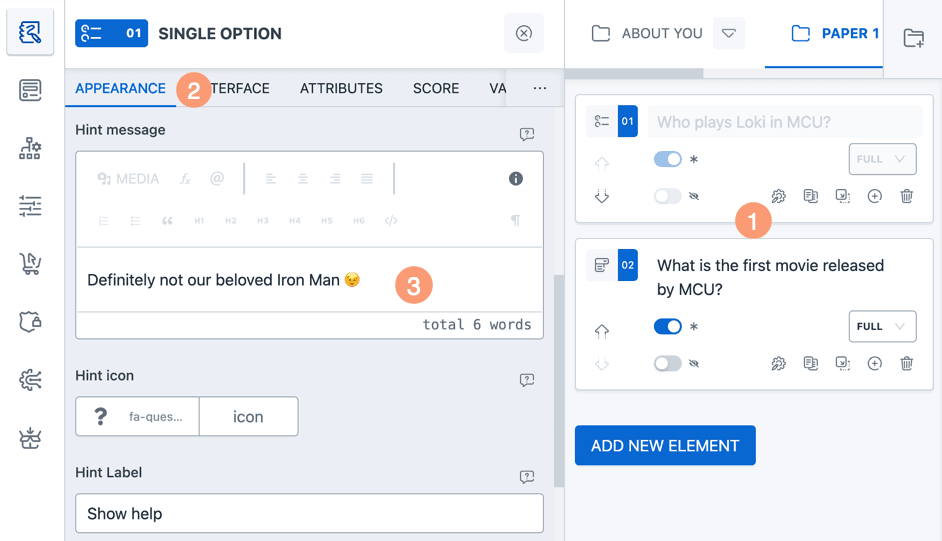
- Go to Form Element settings by clicking on the cog icon.
- Select the
APPEARANCEtab. - Scroll to the
Hint messagesection and please make your customizations.
Quiz hints Visibility
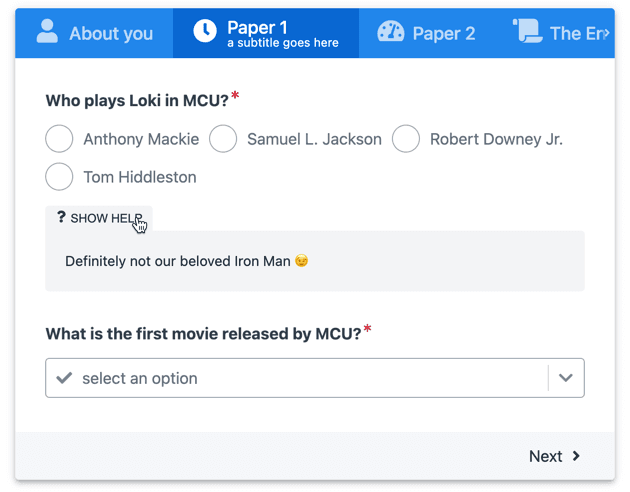
Hints are visible in the form only. It does not appear in form submissions and emails.
Adding answer descriptions to form elements or quiz
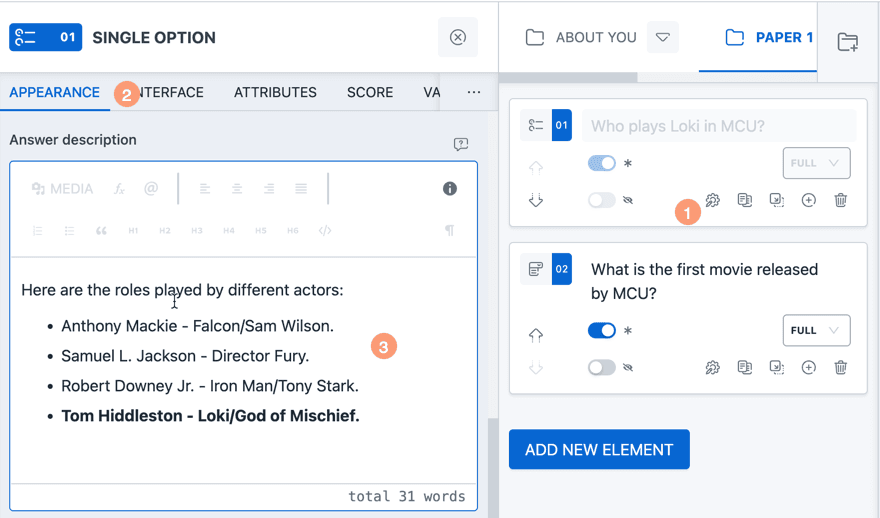
- Go to Form Element settings by clicking on the cog icon.
- Select the
APPEARANCEtab. - Scroll to the
Answer descriptionsection and please make your customizations.
Quiz answer description Visibility
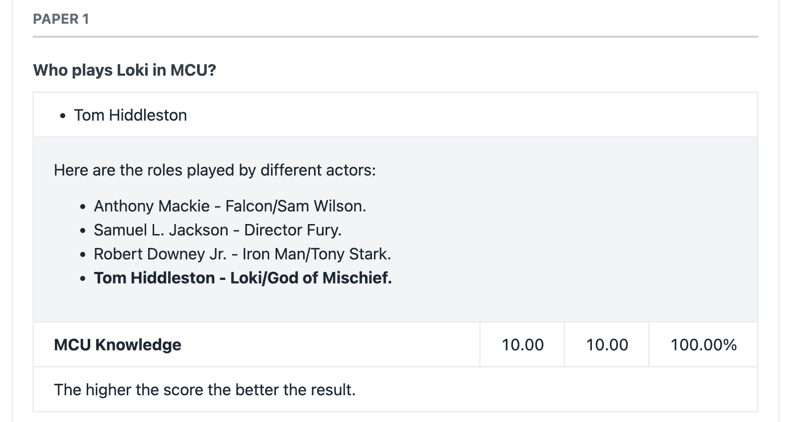
- Visible in the Submission Summary Page.
- Visible in the User Notification Email.